Phone keys
Send the renter a Tesla key from the booking. It's removed automatically after the return or a cancellation.
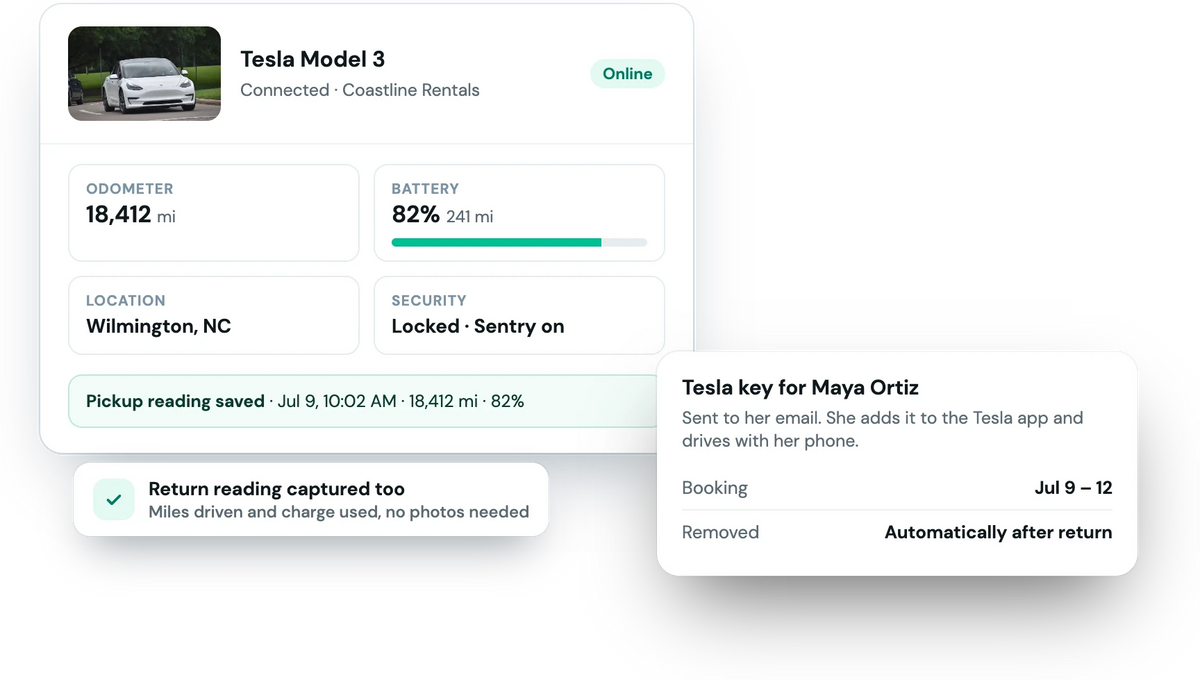
Connect your Tesla account and Fleetwire sends each renter a Tesla phone key, records the odometer, charge and location at pickup and return, and matches every Supercharging invoice to the renter who charged.
Tesla Fleet API · Keys removed after each trip · Supercharging billed in a tap
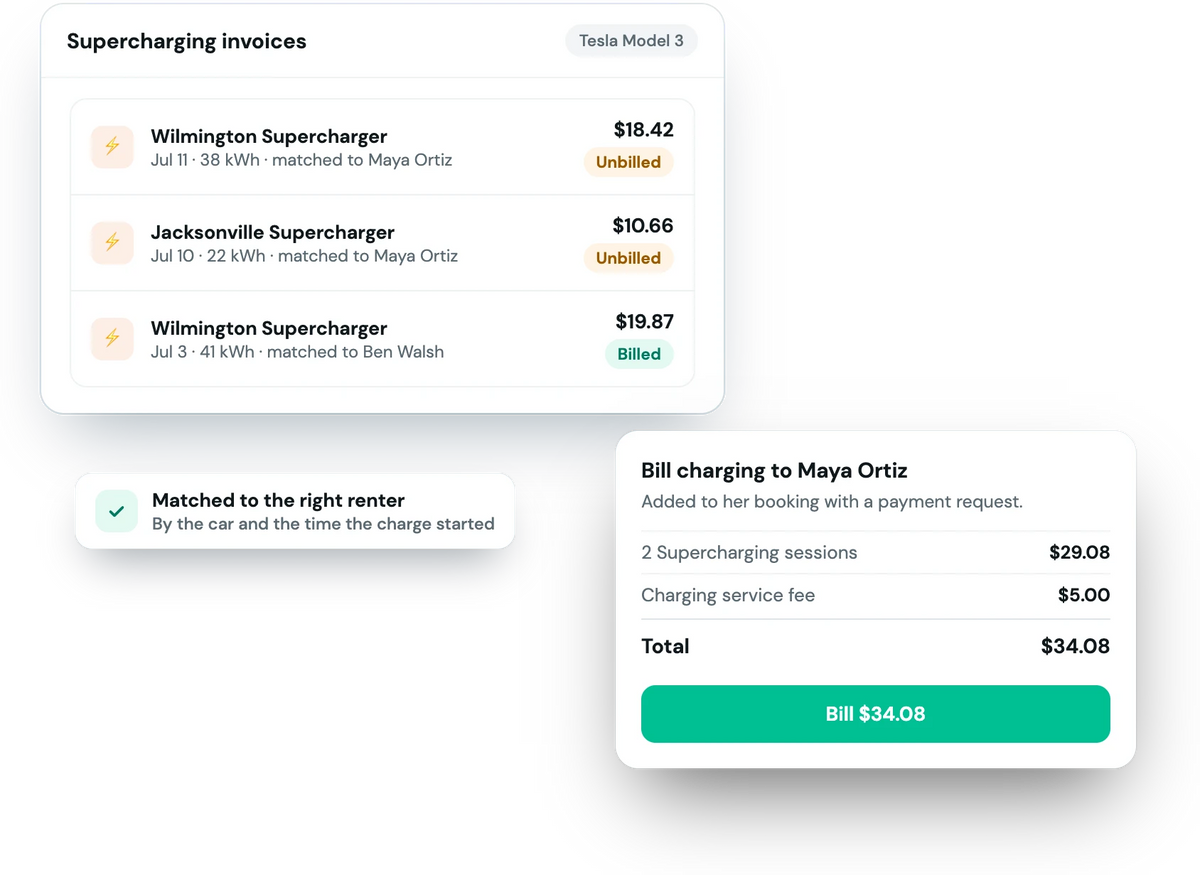
Supercharging invoices sync from Tesla every few hours and are matched to the booking on that car when the charge started. Review them, add a charging fee if you charge one, and bill the renter in a tap: added to their booking with a payment request, or charged to their card after the trip.
Connect your Tesla account from Connections. Fleetwire uses Tesla's official Fleet API.
Your Teslas appear in Fleetwire with their live status.
Send the renter a phone key, and readings are captured at pickup and return.
Send the renter a Tesla key from the booking. It's removed automatically after the return or a cancellation.
Odometer, charge level and location recorded when the trip starts and ends. Anything you type is never overwritten.
Miles driven are compared with the allowance on the booking, and you add the charge in a tap.
Lock state, doors, windows, Sentry mode, tire pressure, temperature and software version, with a map.
Synced from Tesla and matched to the right booking, ready to bill.
Readings are captured for Turo trips on a connected Tesla as well.
With a Tesla phone key. Send the key from the booking and the renter gets an email to add it in the Tesla app. Fleetwire removes the key automatically after the return or if the booking is cancelled.
Yes. Odometer, charge level and location are read from the car when the trip starts and ends, and a value you entered yourself is never overwritten.
Yes. Supercharging invoices are matched to the booking on that car, and you bill the renter in a tap, with an optional service fee on top.
No. The integration reads vehicle data, manages phone keys and syncs charging invoices; remote commands aren't included.
Every plan. Connected-car slots are 1 on Basic, 5 on Standard and 10 on Premium, shared with Bouncie.
Phone keys, automatic readings and Supercharging billed to the right renter. Free for 14 days.